


Step-by-Step IPTV Setup Guide: Set Up Your Subscription Easily
Download Hot Player on firestick
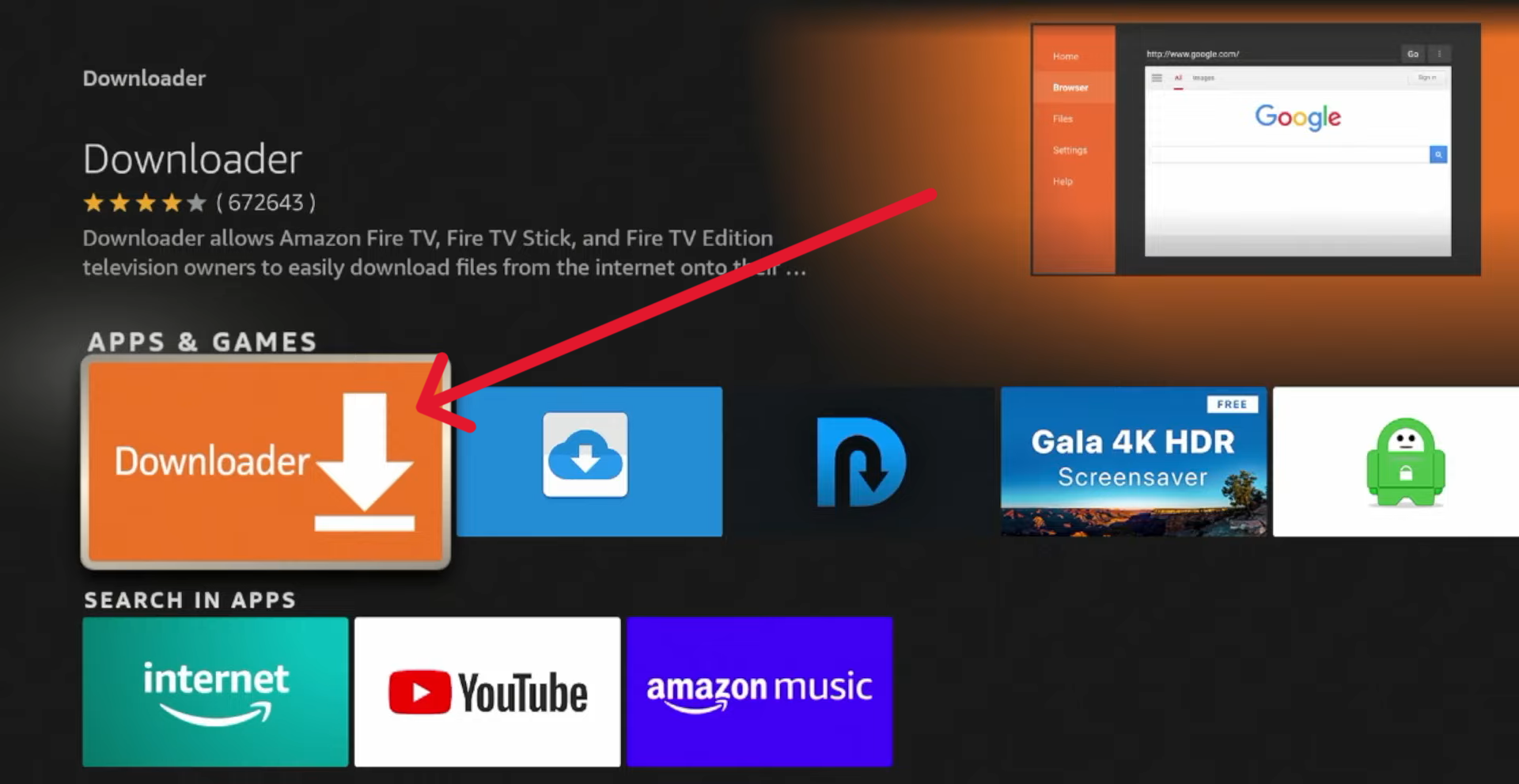
1. Download Downloader app
- Open search box and search for downloader


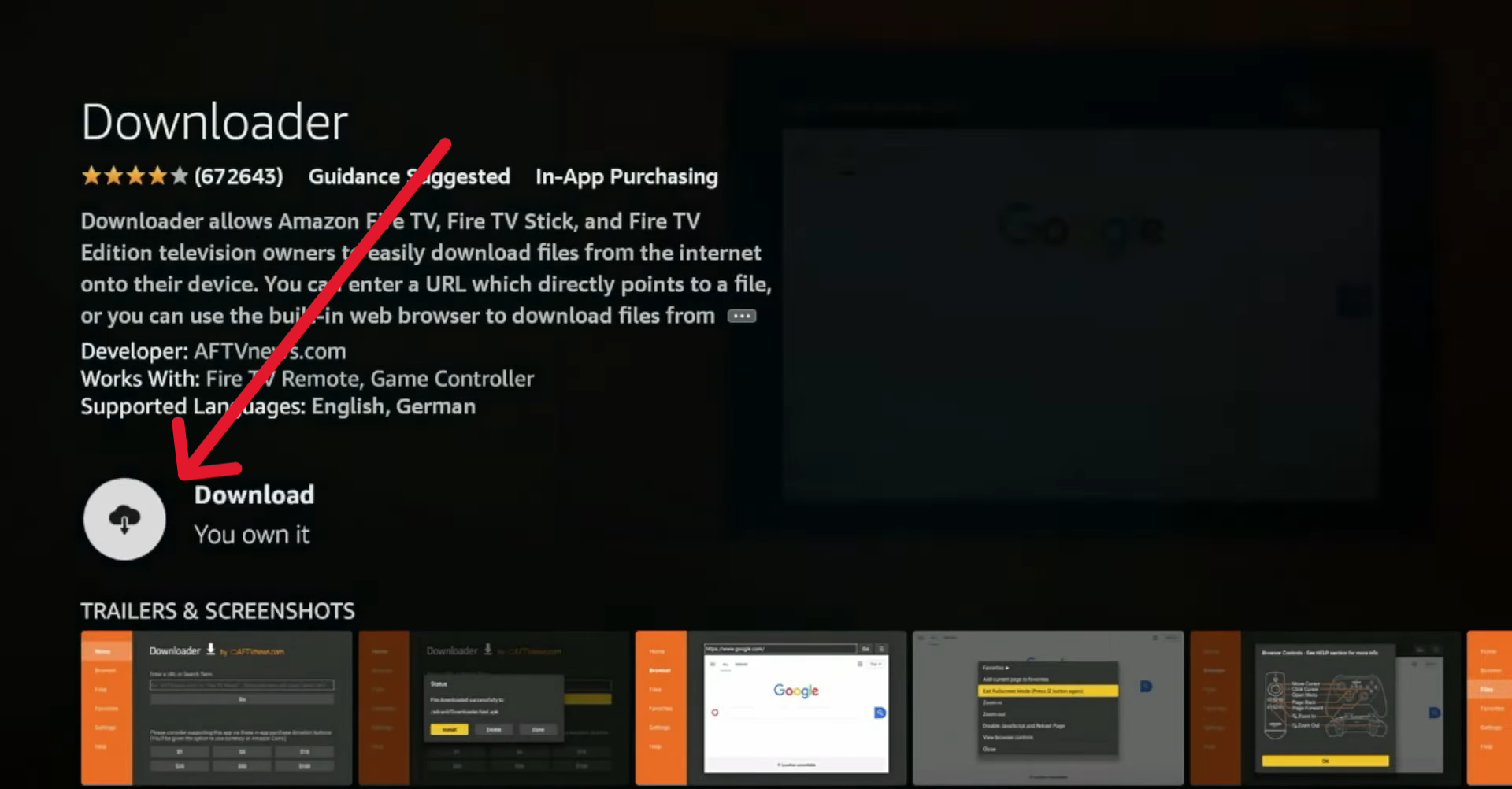
- Press on download and wait to install
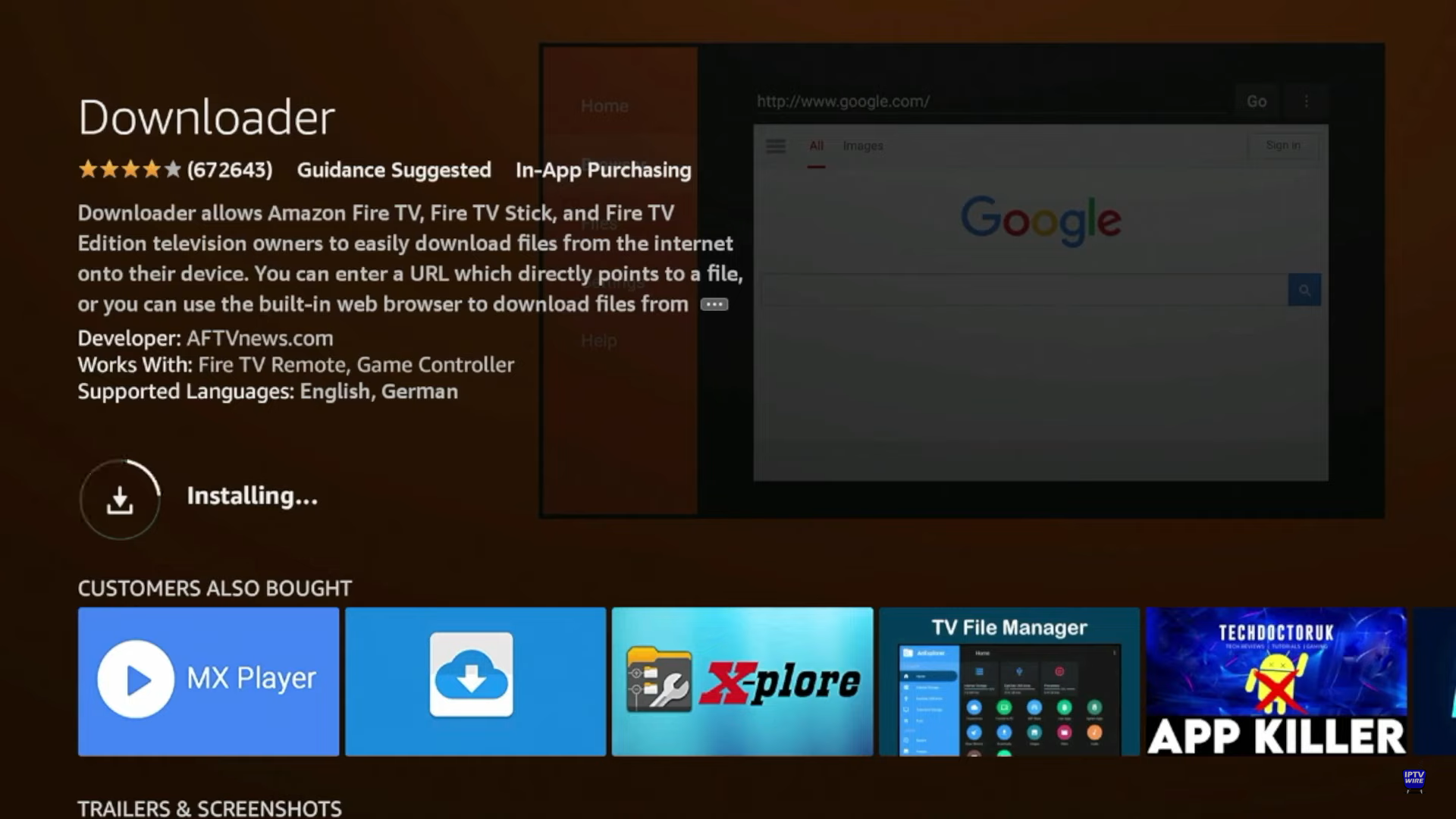
- Now done it’s Installed
2. We need to activate developer option for downloading from downloader app
- Go to settings
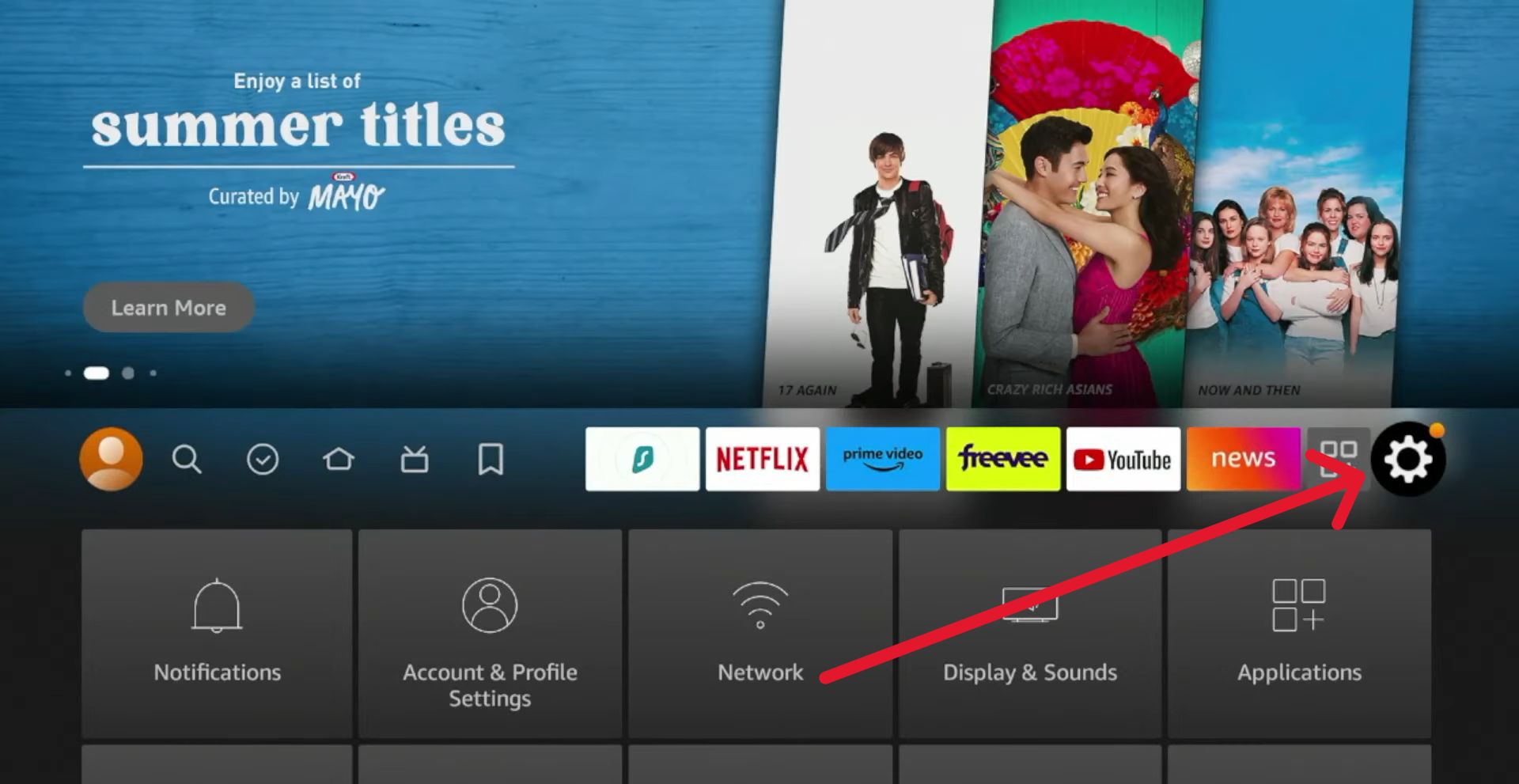
- Go to my Fire TV
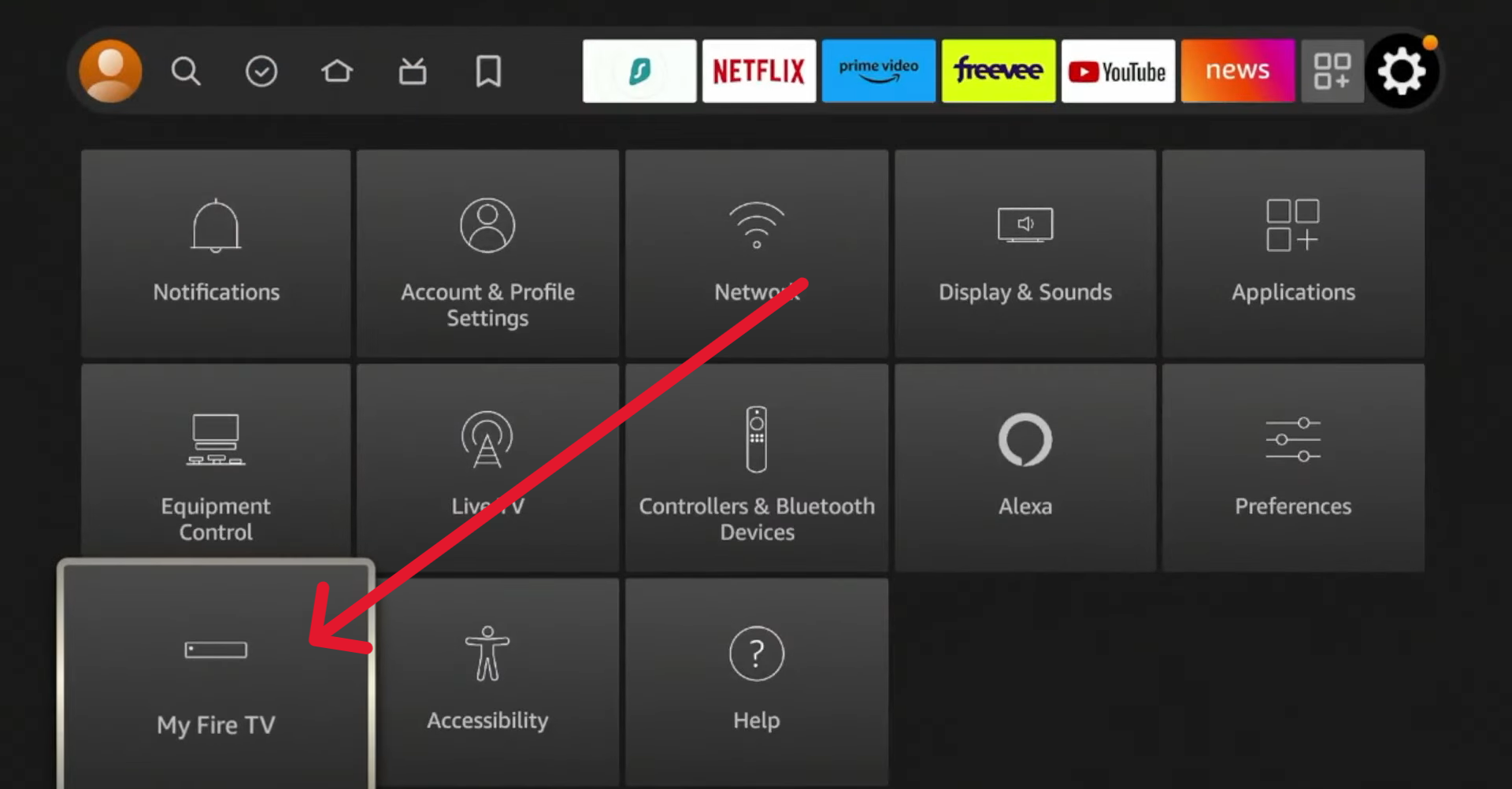
- Open About option
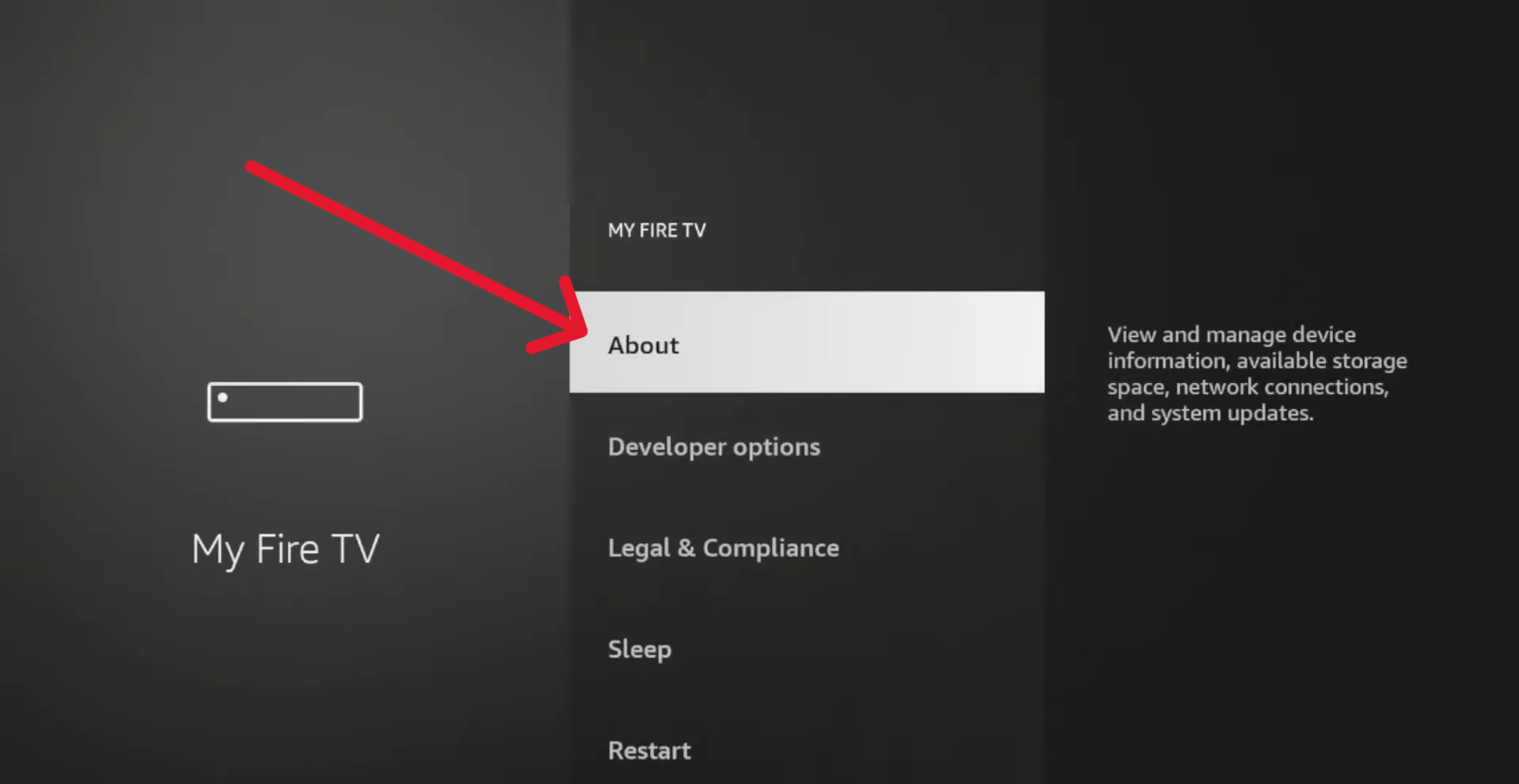
- Click seven times in a row on Fire TV Stick 4K Option to activate developer option
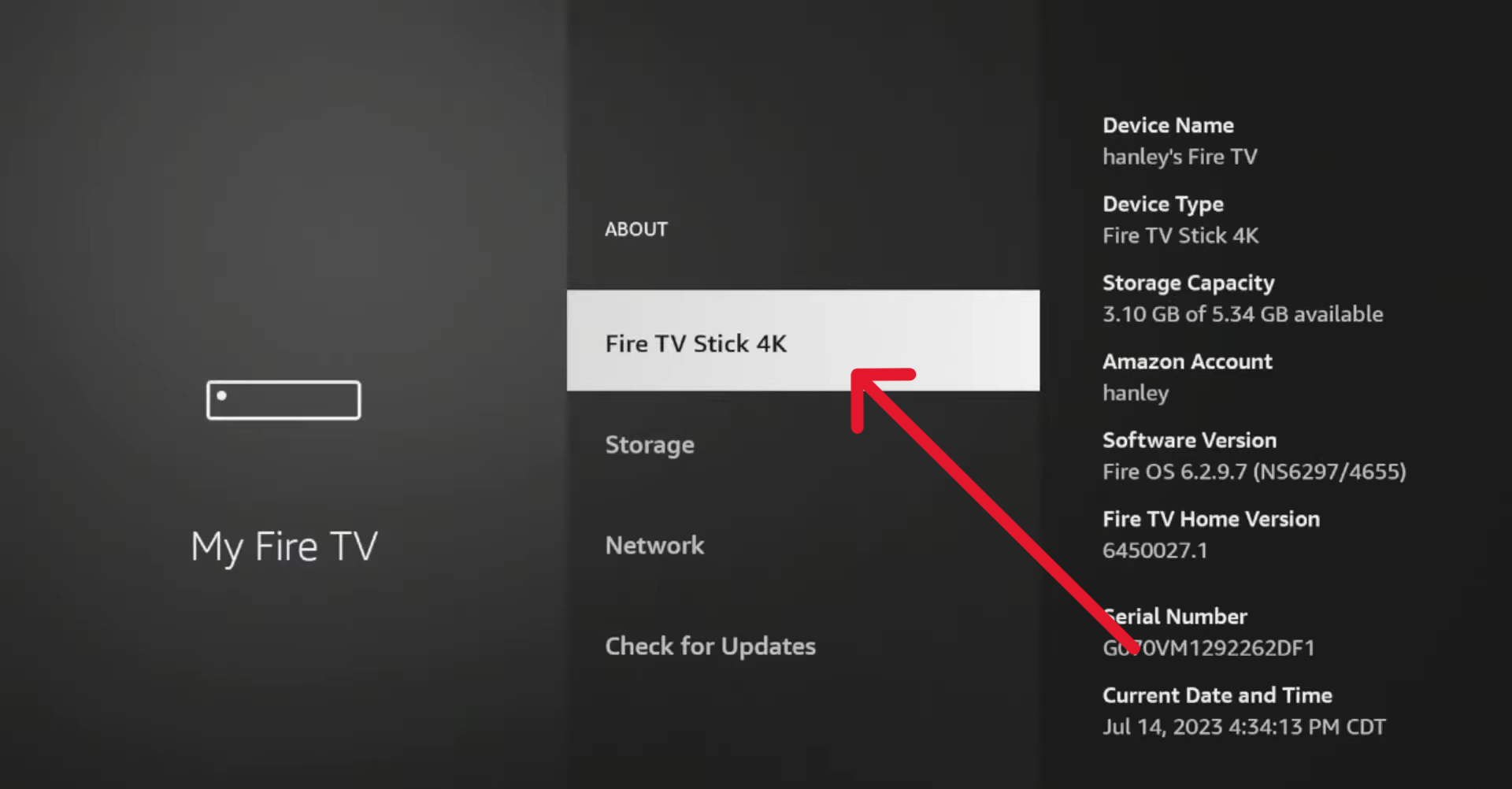
- When developer option is enabled, go one step back
- Press on Developer options
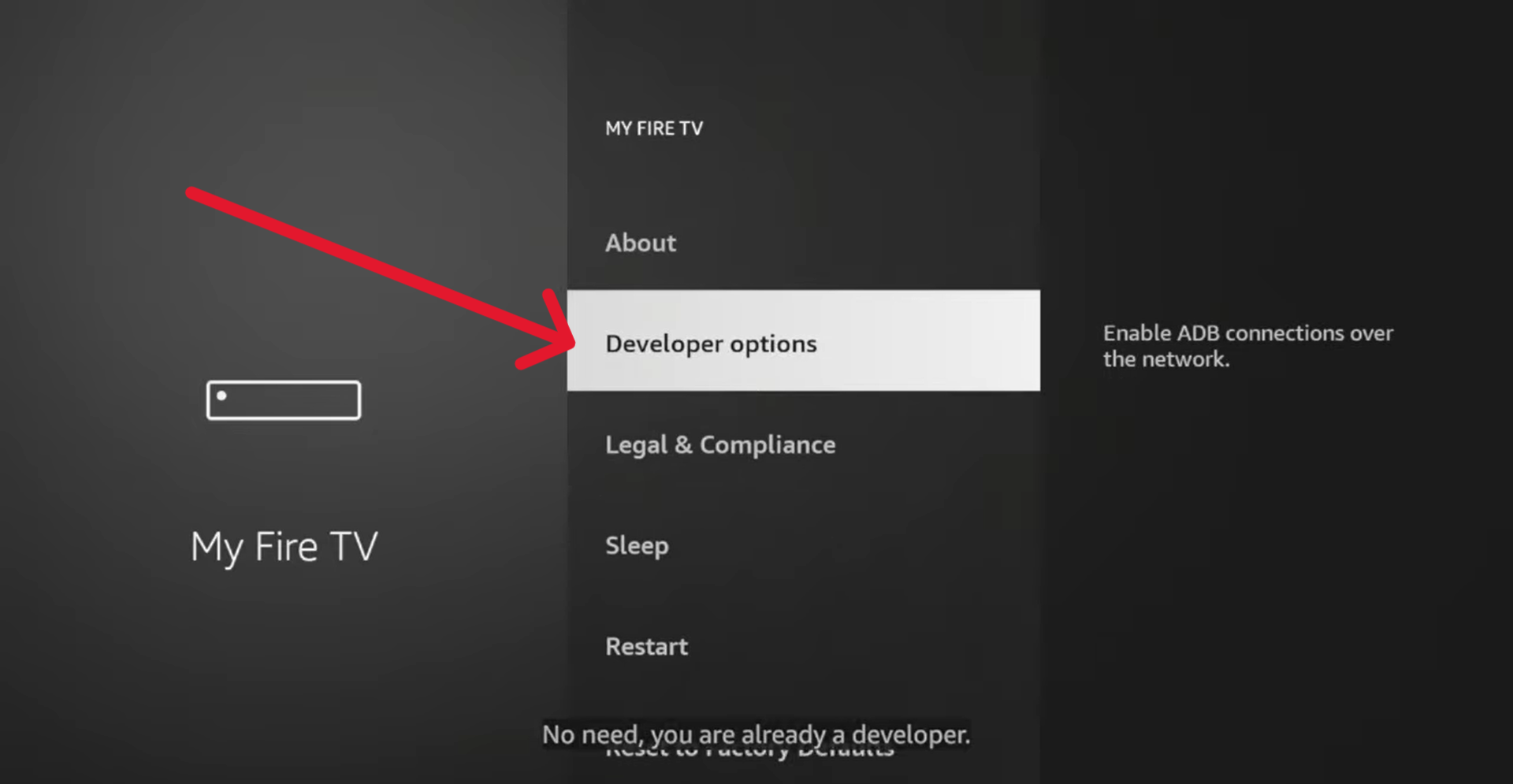
- Open option called Apps from Unknown Sources or Install Unknown apps
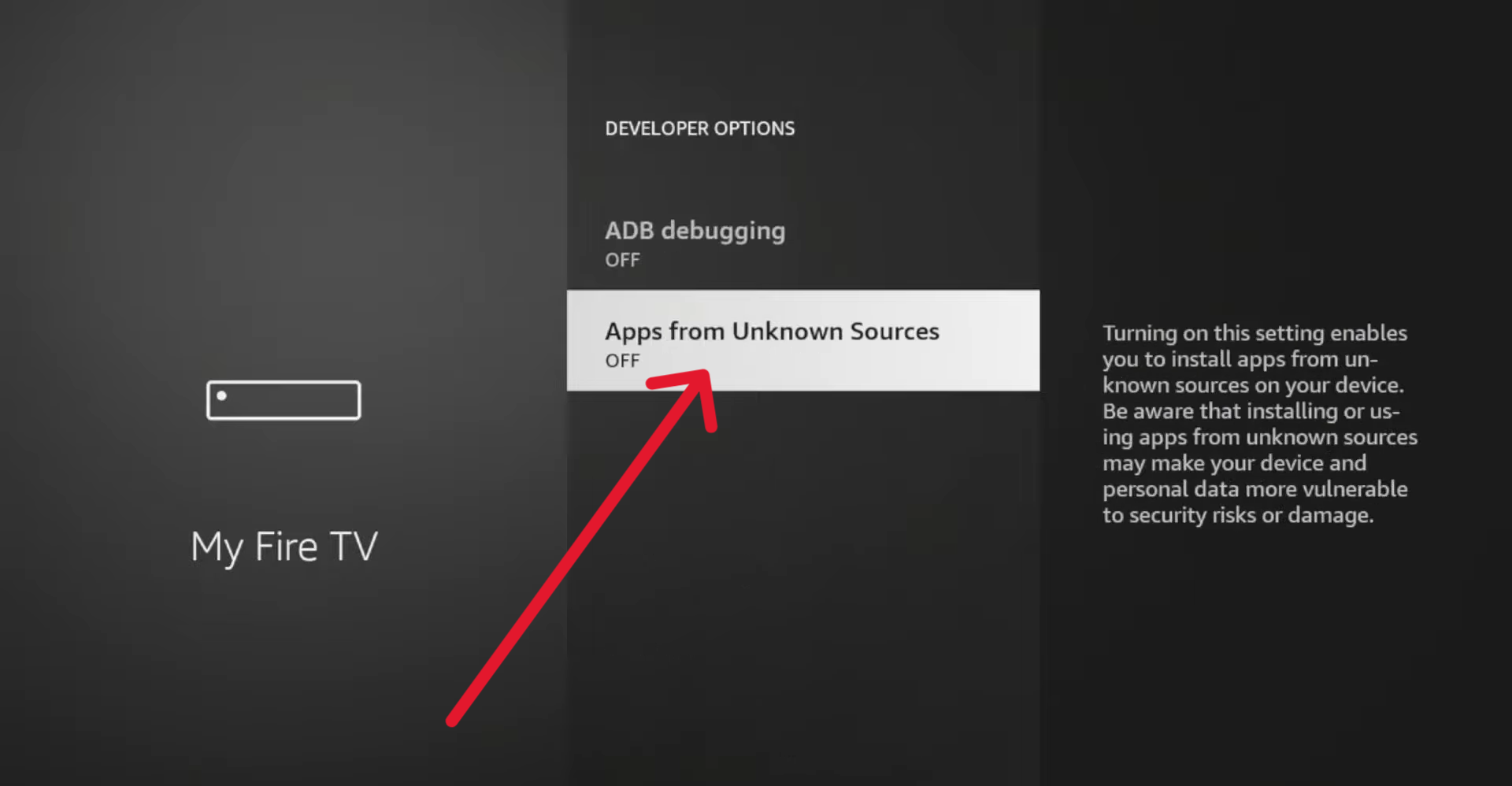
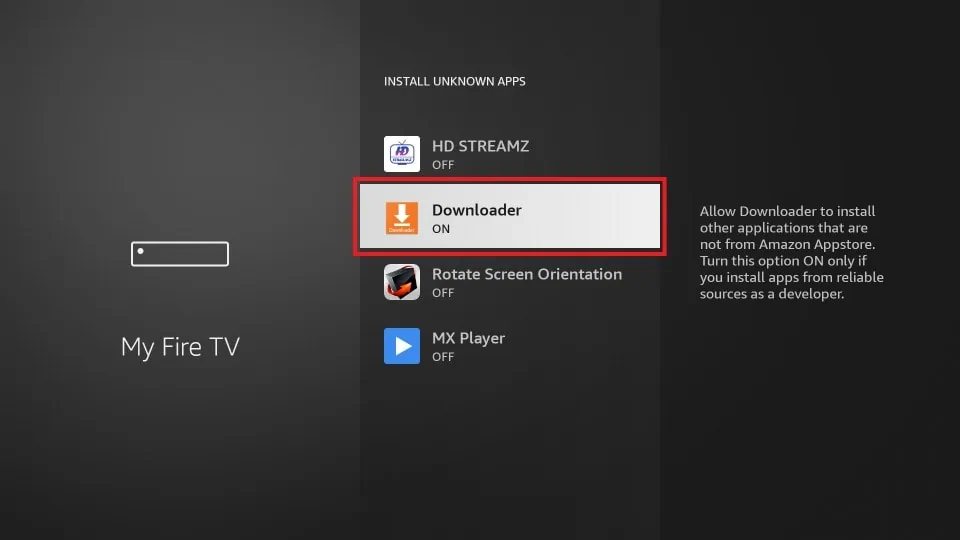
- Select downloader Turn On
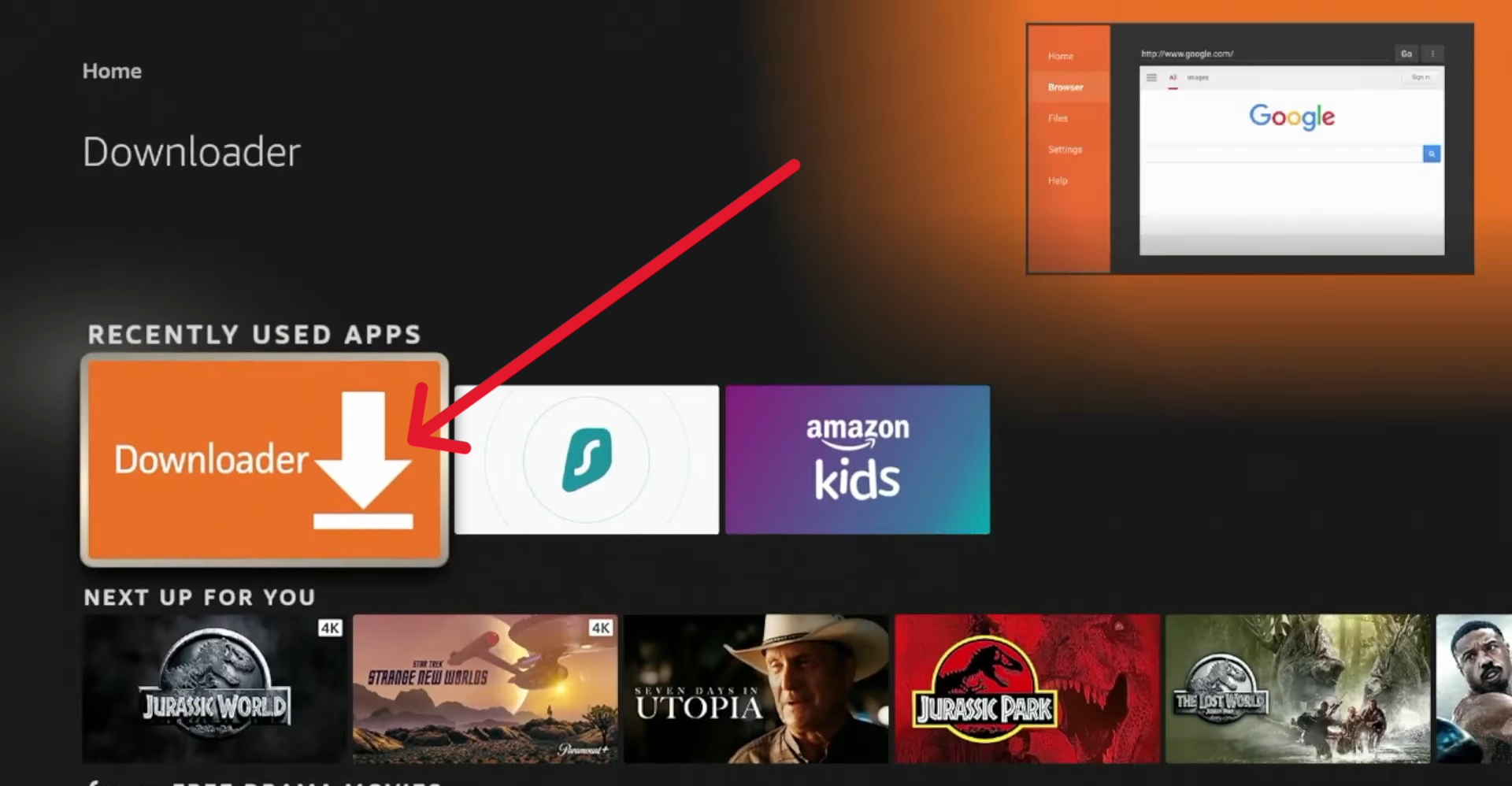
- Now Go back to firestick home and open downloader
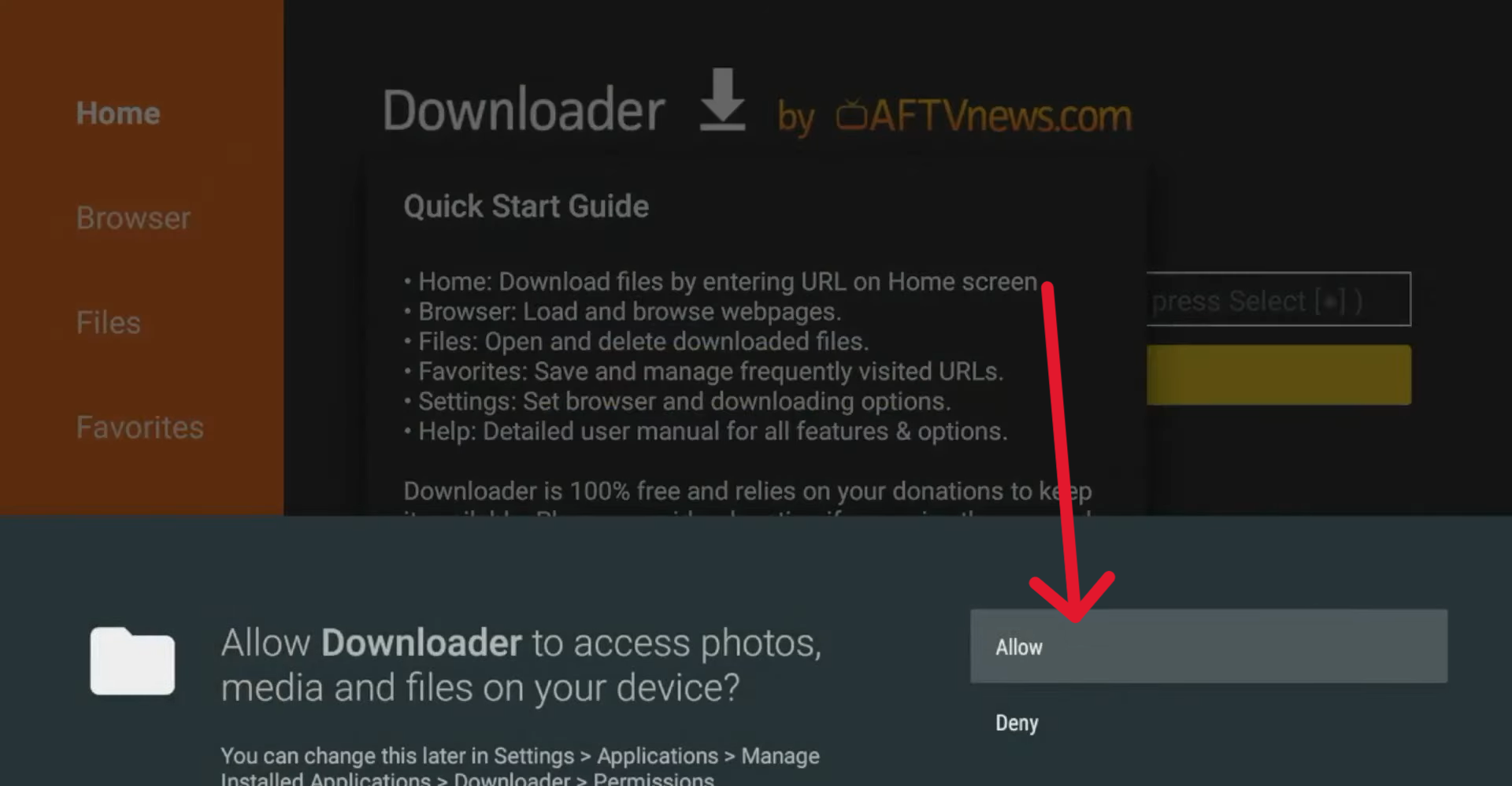
- Click on Allow
- Click on Search Box and put this code for downloade hot Player
- 127238
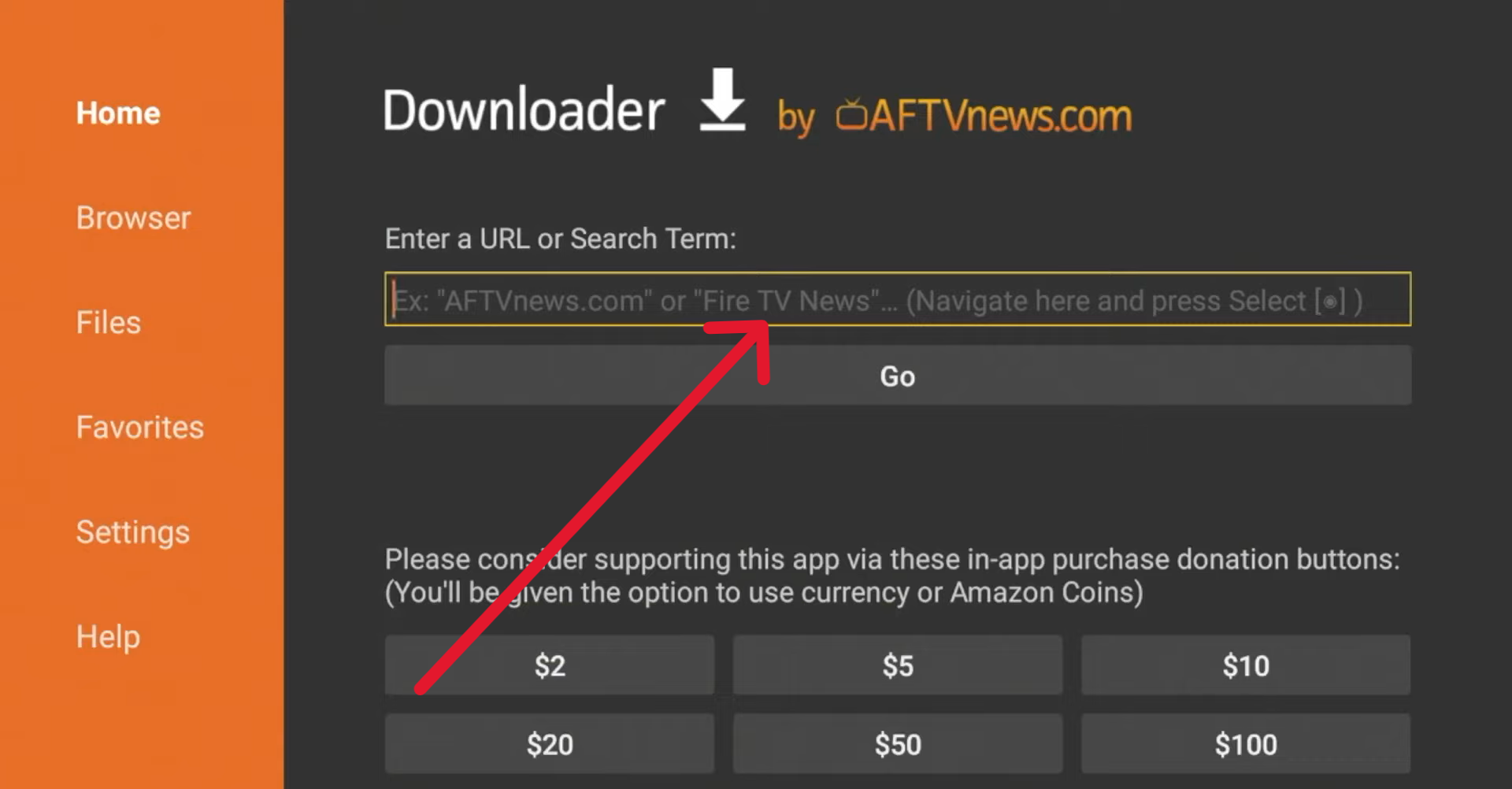
- When you write the code press on go then will the app download automatically
- When the app downloaded successfully, press on done button
3. Open Hot Player and get Mac Address, write it below and put your M3U link or Xtream codes and Upload
Download Hot Player on IOS devices
1. Open App Store
- Open search box and search for Hot Player
- Download and open it
3. Open Hot Player and get Mac Address, write it below and put your M3U link or Xtream codes and Upload
Download Hot Player on Android devices
1. For Android Phone
- Download directly from this button
2. For Android TV
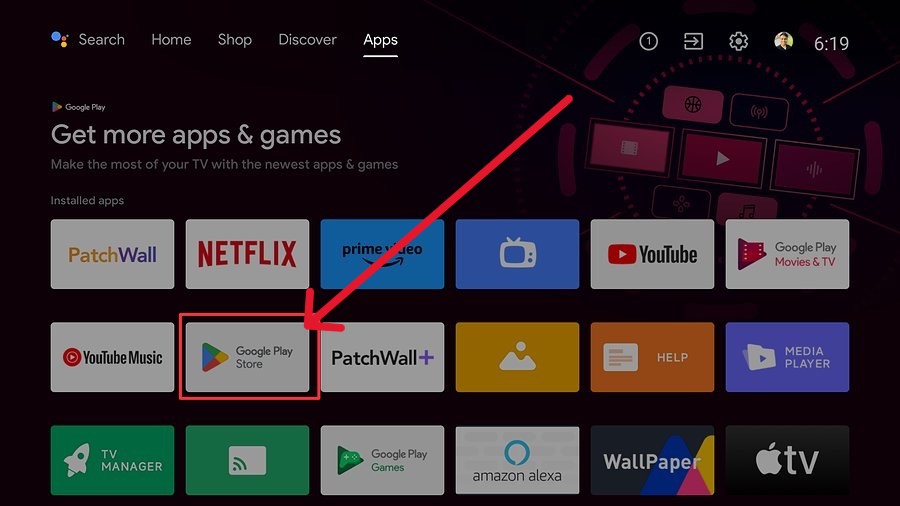
- Open Play store and search for downloader or Download directly from this button
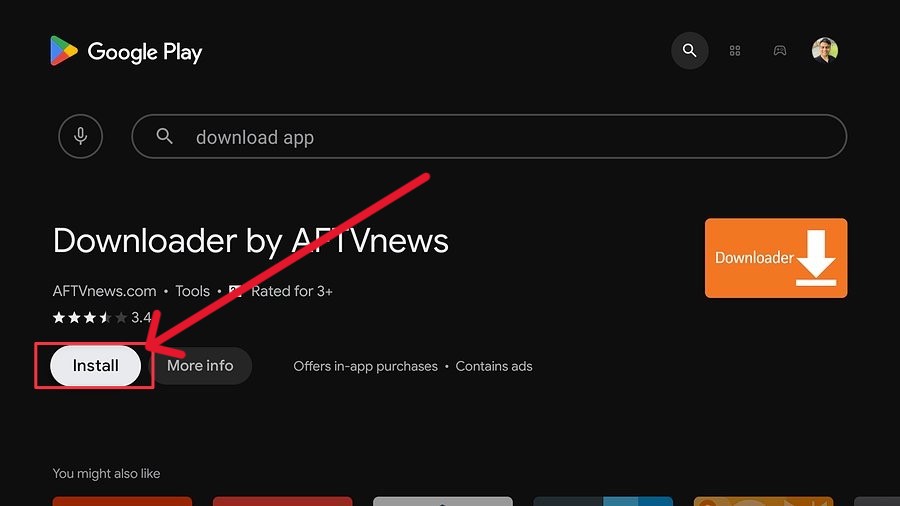
- Install and open
- Turn on
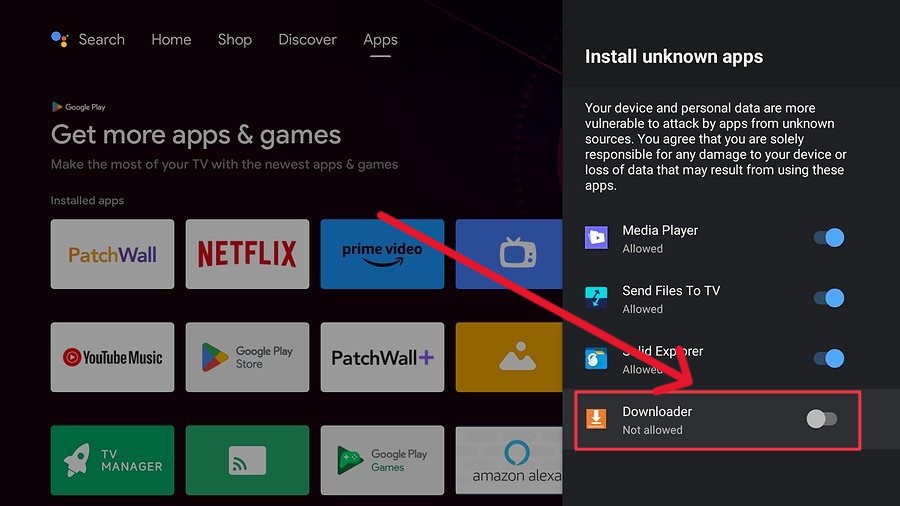
- Allow
- Click on Search Box and put this code for downloade hot Player 127238
- When you write the code press on go then will the app download automatically
- When the app downloaded successfully, press on done button
3. Open Hot Player and get Mac Address, write it below and put your M3U link or Xtream codes and Upload
Download Hot Player on Android devices
1. Search on Microsoft store for Hot Player
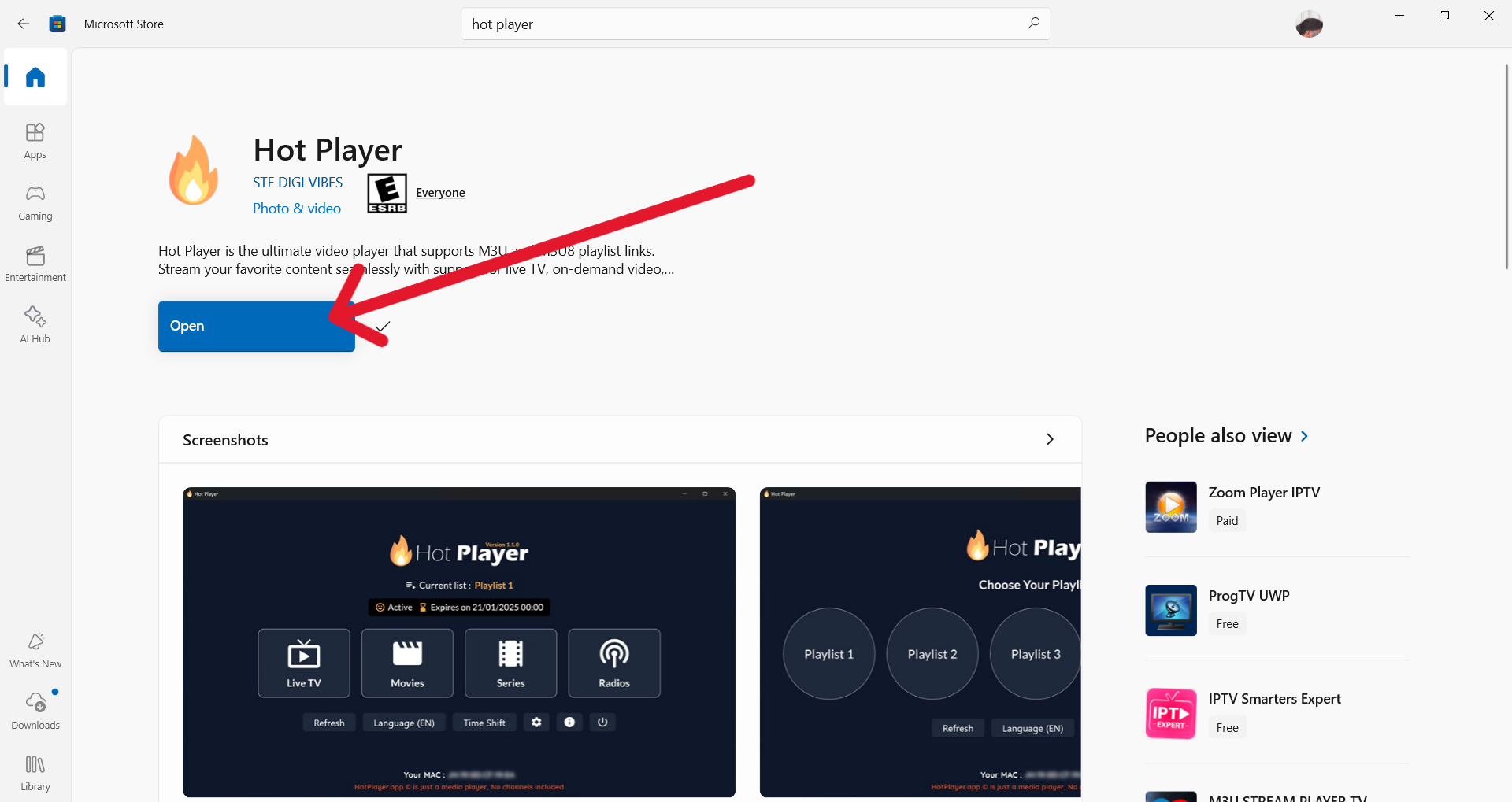
- Download directly from this button
2. Open Hot Player and get Mac Address, write it below and put your M3U link or Xtream codes and Upload
Download Hot Player on Sumsung TV
1. Search on Samsung tv store for Hot IPTV or Hot Player
- Open Apps store on your TV
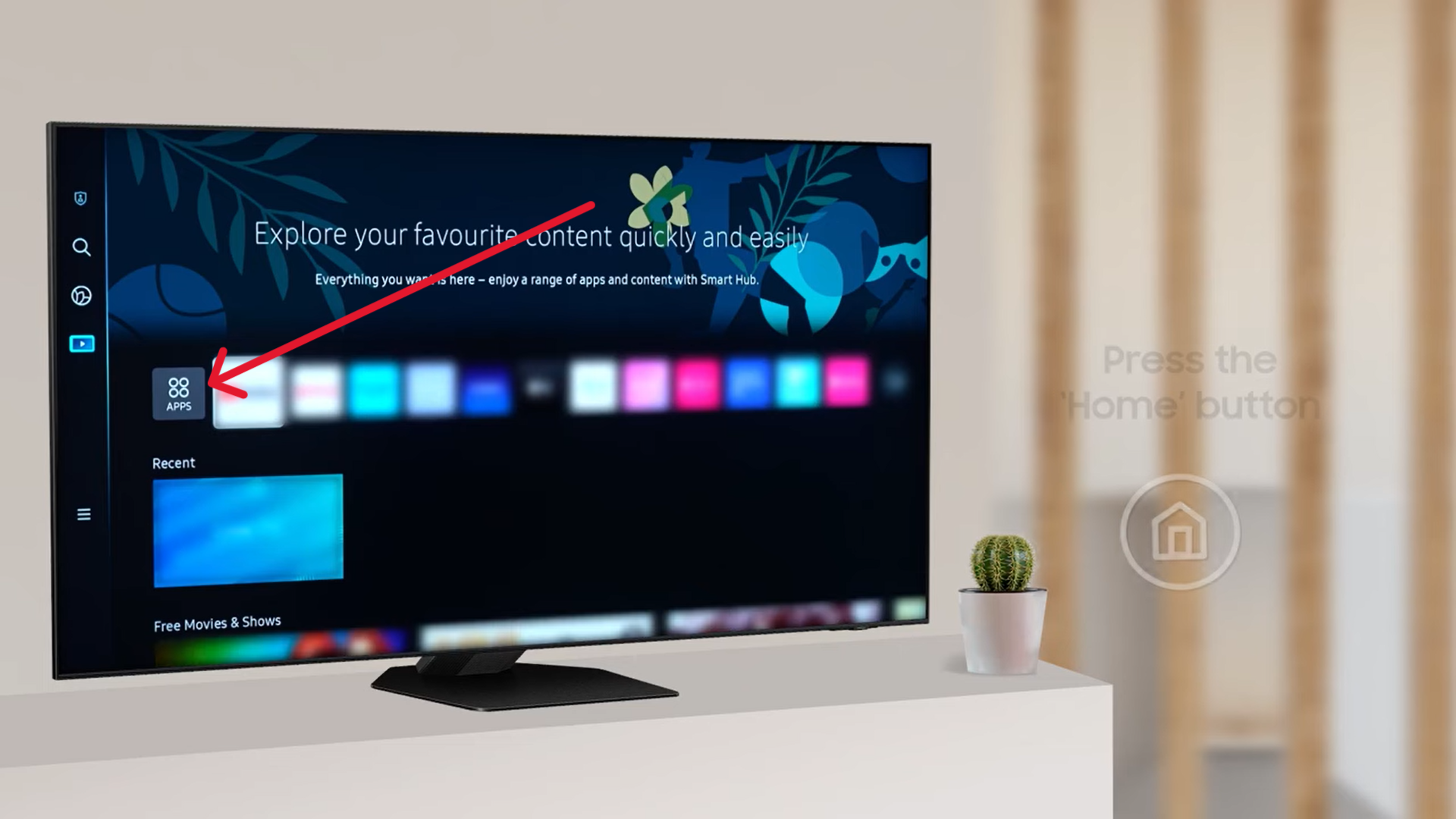
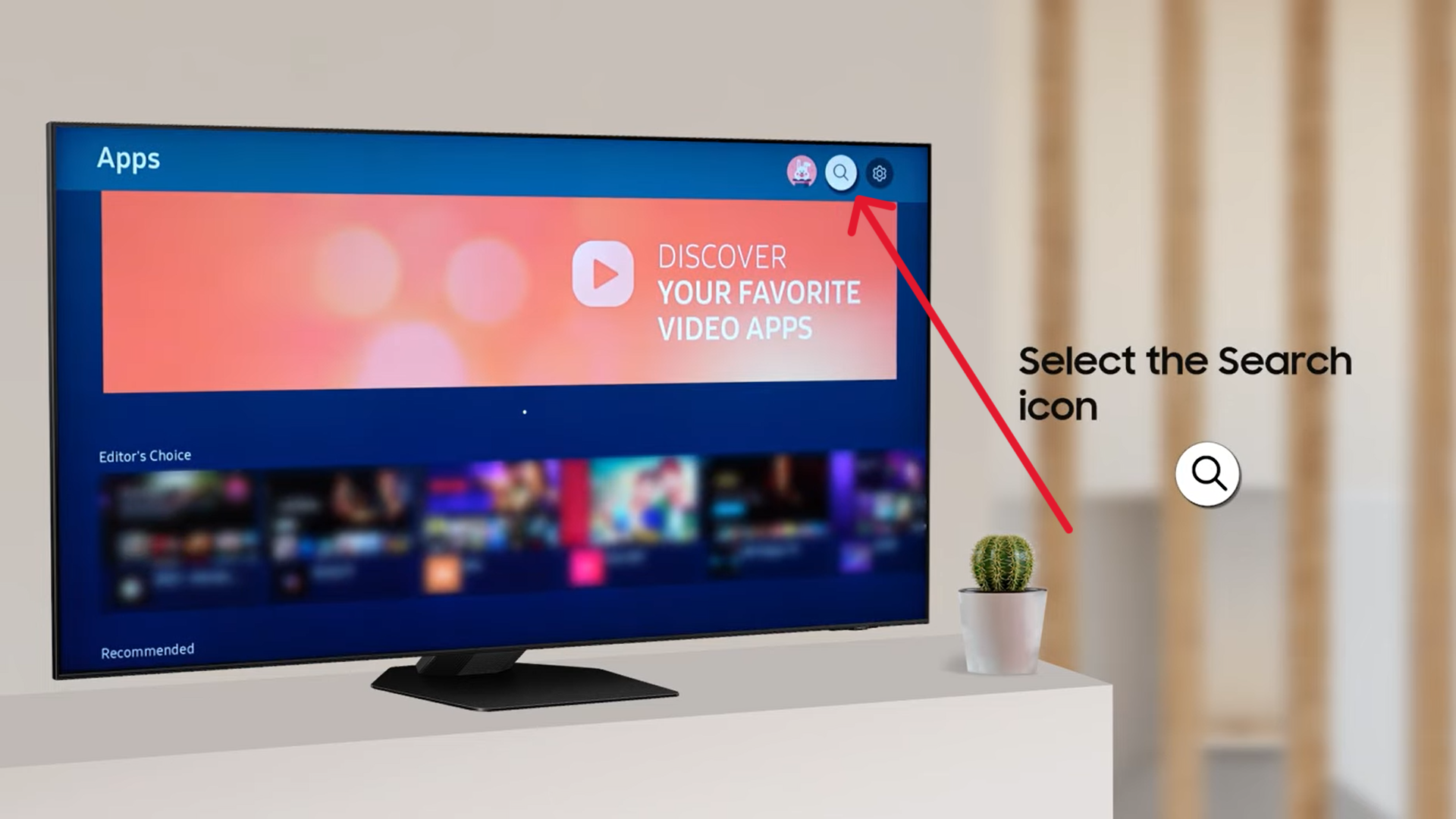
- Click on search icon
- search for Hot IPTV or Hot Player
2. Open Hot Player and get Mac Address, write it below and put your M3U link or Xtream codes and Upload
Download Hot Player on Sumsung TV
1. Search on LG tv store for Hot IPTV or Hot Player
- Open Apps store on your TV
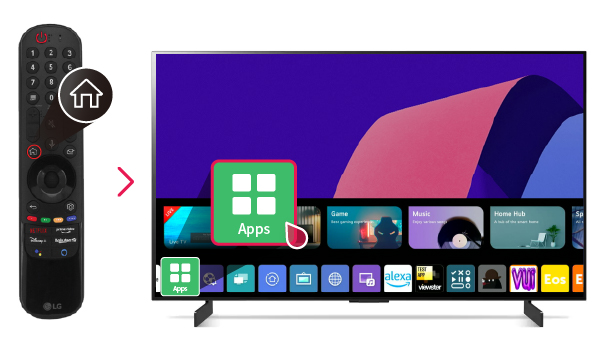
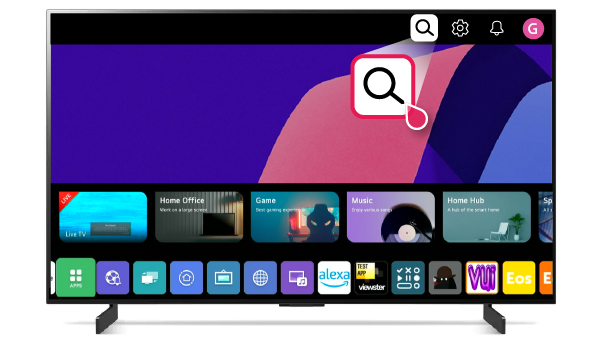
- Click on search icon
- search for Hot IPTV or Hot Player then download it
2. Open Hot Player and get Mac Address, write it below and put your M3U link or Xtream codes and Upload
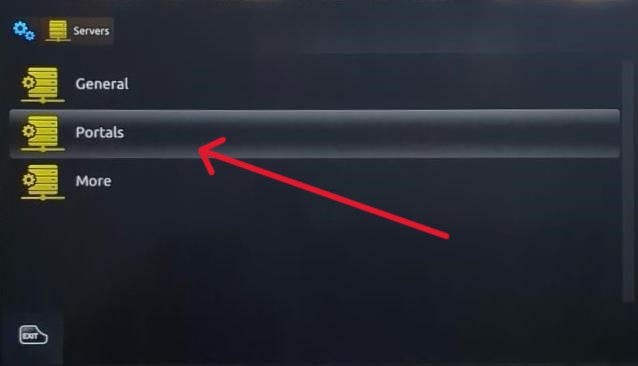
1. First, you need to add portal link
- You will be provided with a link when you pay on email
- Open portal option
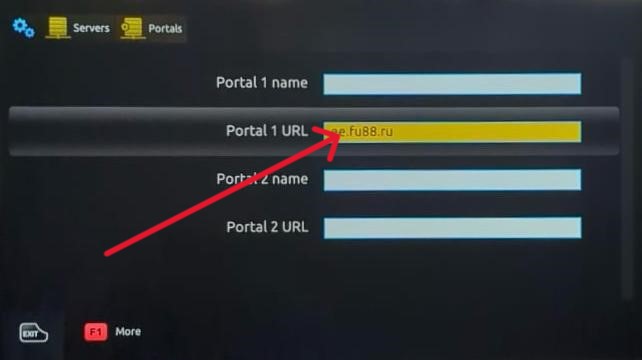
- Write the portal link in second option and give it name in first option and done
Upload your playlist
Invalid MAC address
Upload your playlist
Playlist Added Successfully!
Your playlist has been successfully uploaded and will be available soon.
Delete your playlist
Invalid MAC address
